Installation to C-Mount / Empty Trinocular Port
This page explains two common trinocular camera-path situations: a microscope already equipped with a C-mount adapter, and a trinocular port that has no phototube or C-mount adapter installed.
For DSLR and mirrorless microscope adapters, a direct 1.0x C-mount optical path is generally preferred. If a reducing C-mount adapter is installed, or if the trinocular port is empty, the correct intermediate parts must be checked before selecting the camera adapter.
Select the Connection Case
Choose the case that best matches your microscope-side camera path. The appearance of the port, the presence of a C-mount adapter and the optical magnification of the camera path are all important for compatibility.

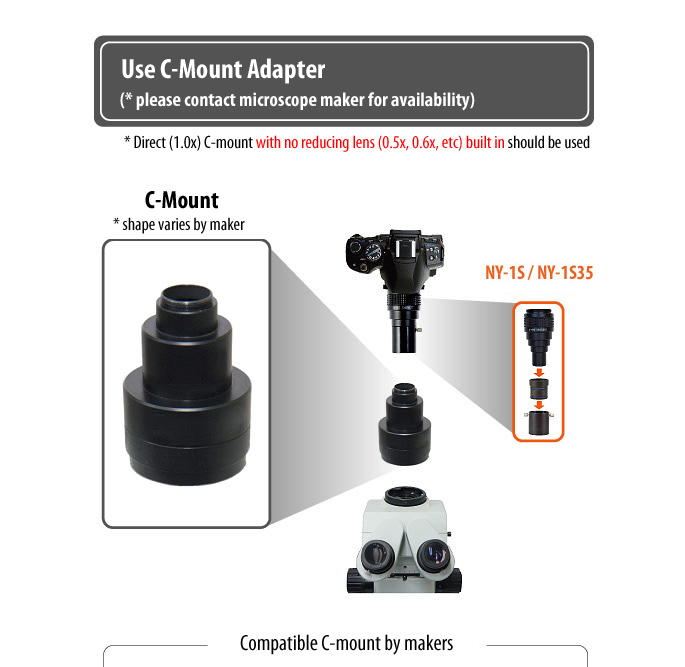
C-Mount Installation
If the microscope already has a C-mount adapter, check whether it is a direct 1.0x C-mount path. DSLR and mirrorless adapters usually require a suitable direct optical path rather than a reducing adapter designed for small-sensor microscope cameras.

Trinocular Port with No Phototube Attached
When the trinocular port is open and no phototube is installed, a brand- and model-specific intermediate part is usually required before a DSLR or mirrorless microscope adapter can be attached.
Brand-Specific Direct C-Mount Conversion Examples
The following examples show common conversion paths to direct 1.0x C-mount for major microscope brands. Actual part requirements depend on the microscope model and port configuration.




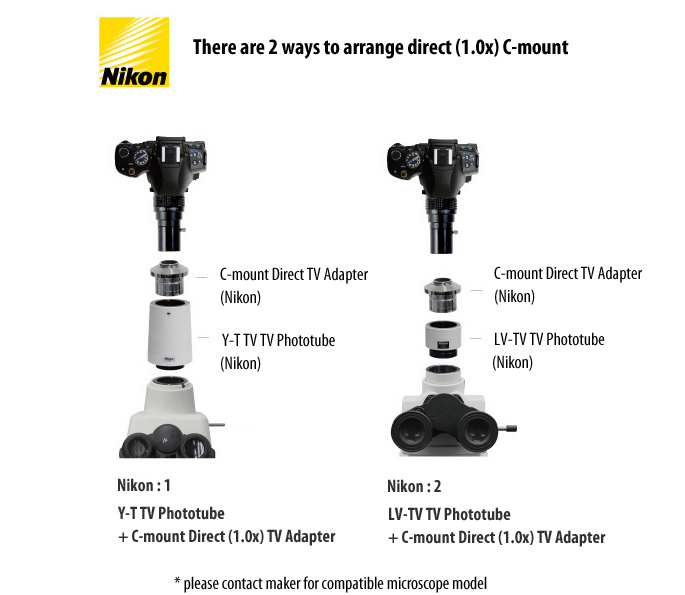
Nikon Trinocular Port to Direct 1.0x C-Mount
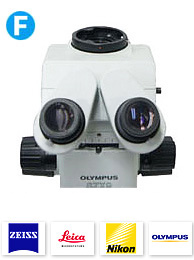
Some Nikon trinocular microscope systems can be configured to a direct 1.0x C-mount path with the correct intermediate adapter. Confirm the model and port structure before selecting the DSLR or mirrorless camera adapter.
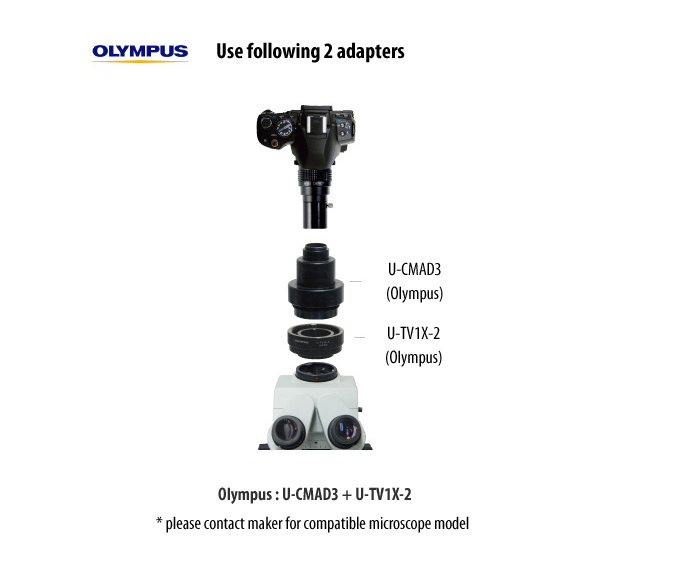
Olympus Trinocular Port to Direct 1.0x C-Mount
Olympus trinocular microscope systems may require a specific C-mount adapter or intermediate sleeve. A direct 1.0x optical path is preferred for DSLR and mirrorless microscope adapter use.
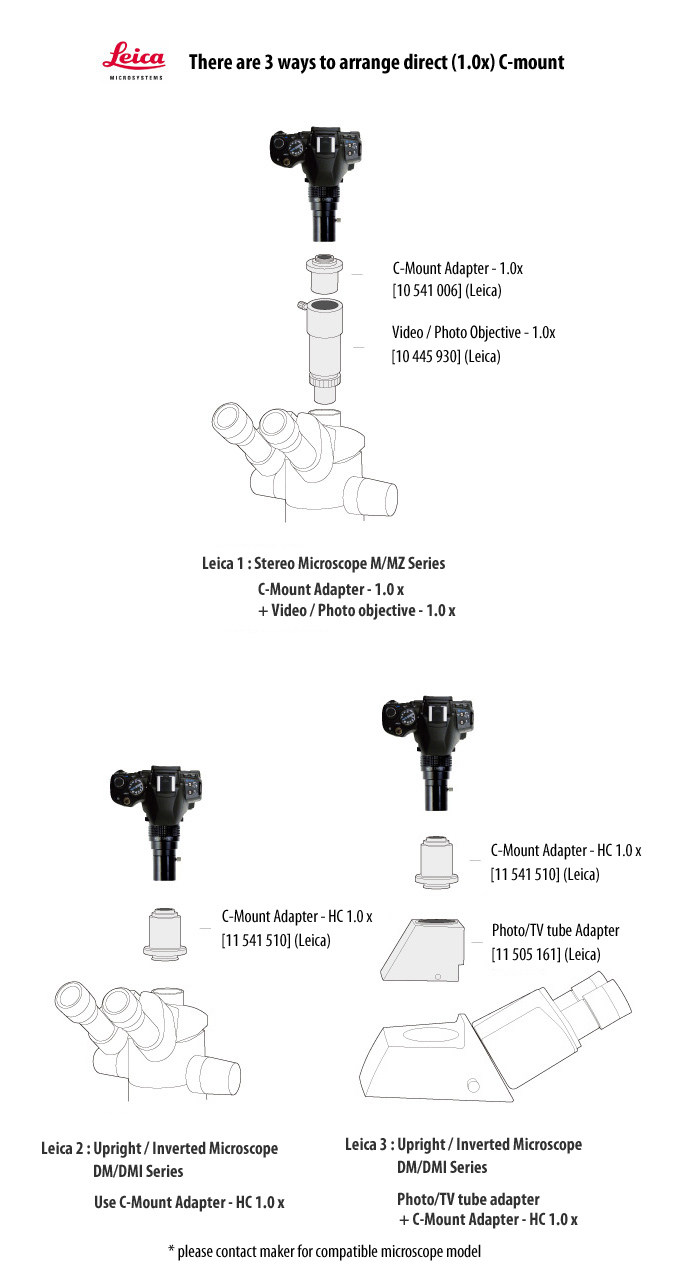
Leica Trinocular Port to Direct 1.0x C-Mount
Leica microscope systems may use different trinocular port structures depending on the model generation and camera path. Confirm the correct intermediate adapter for a direct 1.0x C-mount configuration.
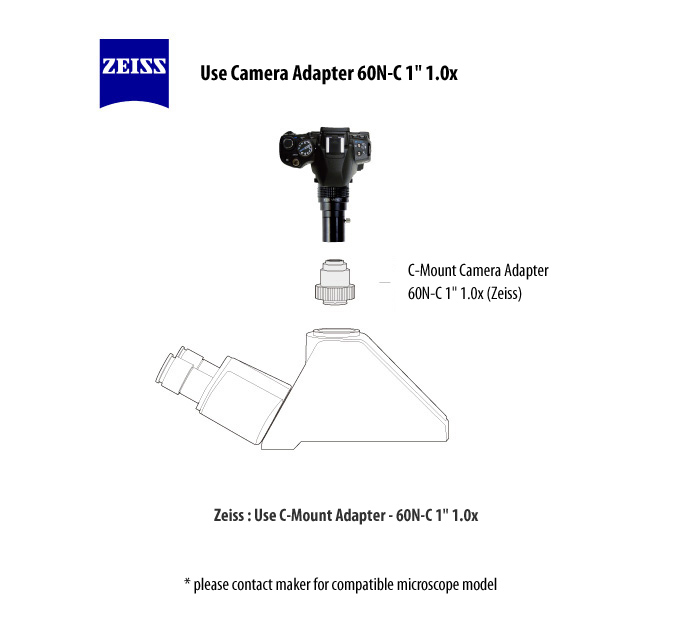
Zeiss Trinocular Port to Direct 1.0x C-Mount
Zeiss microscope systems also require confirmation of the trinocular photo-port structure and optical path. Please confirm the correct direct C-mount configuration before selecting the camera adapter.